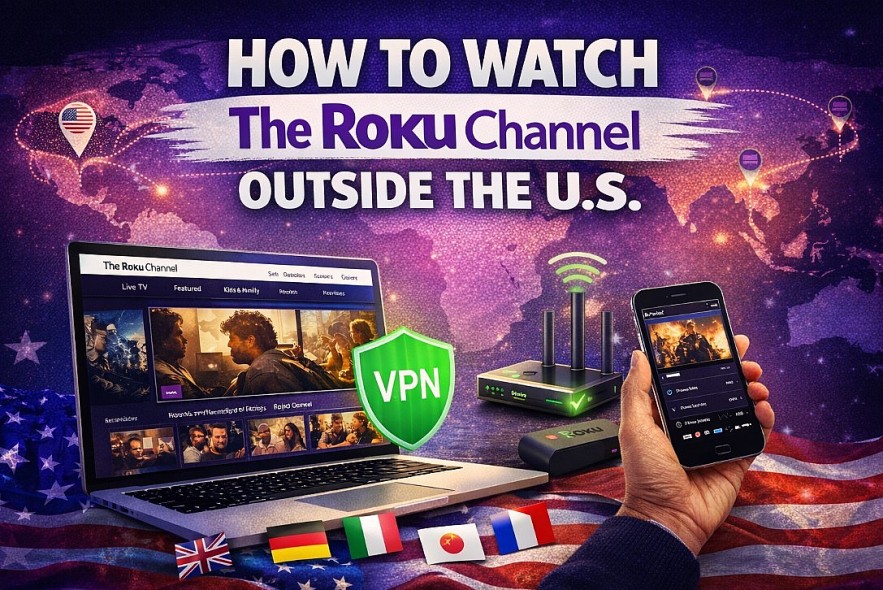
How to Watch The Roku Channel Outside the US With 2 Reliable Methods

 |
| Watching The Roku Channel outside the US |
The Roku Channel is one of the most popular free streaming platforms in the United States, offering live TV, movies, and TV shows with no subscription required. However, viewers outside the US quickly discover a limitation: the service is geo-restricted.
If you’re traveling, living abroad, or simply trying to access US streaming content internationally, this guide explains how to watch The Roku Channel outside the US safely and reliably, what tools you need, and how to avoid common issues.
Why The Roku Channel Is Blocked Outside the US
The Roku Channel licenses most of its content for US-only distribution. To comply with these agreements, Roku uses geo-blocking technology.
When you try to access the service from another country:
-
Your IP address reveals your location
-
Content may not load or appears unavailable
-
Live TV streams are often blocked completely
This applies to both the website and Roku devices.
Read more: How to Watch The Roku Channel in the US: Free Live TV, Movies, Devices, and Everything You Need to Know
Can You Watch The Roku Channel Outside the US?
Yes, but not directly. To access the full US library from abroad, you need to make Roku think you’re connecting from within the United States.
The most effective way to do this is by using a VPN or, in some cases, Smart DNS.
Method 1: Use a VPN (Best and Most Reliable)
What a VPN Does
A VPN routes your internet connection through a server in another country. When you connect to a US server, websites see a US IP address instead of your real location.
This allows access to US-only streaming services, including The Roku Channel.
Step-by-Step: Watching The Roku Channel With a VPN
-
Choose a VPN provider with multiple US servers
-
Install the VPN app on your device
-
Connect to a US-based server
-
Open your browser and visit therokuchannel.roku.com
-
Start streaming
This method works well on laptops, smartphones, and tablets.
VPN Features That Matter for Streaming
When choosing a VPN, prioritize:
-
Reliable US servers
-
High-speed connections for HD streaming
-
Apps for desktop and mobile
-
No data caps
Free VPNs often struggle with streaming and are not recommended.
Method 2: Watching on a Roku Device Outside the US
Streaming on a TV requires a more advanced setup.
What You’ll Need
-
A Roku TV or Roku streaming device
-
A Roku account registered with the US as the region
-
A VPN installed on your router or a Smart DNS service
Roku devices do not support VPN apps directly, so the VPN must run at the network level.
Basic Setup Overview
-
Configure VPN or Smart DNS on your router
-
Connect your Roku device to that network
-
Restart the Roku device
-
Open The Roku Channel and test playback
This setup provides the most stable big-screen experience.
Read more: Can I Watch The Great American Baking Show Without Cable or a Roku Device?
Do You Need a Roku Account?
Outside the US, a Roku account is strongly recommended.
Important tips:
-
Set the account country to the United States
-
Use a valid email address
-
Avoid changing regions frequently
The account itself is free and does not require payment details unless you add premium subscriptions.
Streaming Quality and Performance Abroad
Streaming quality depends on:
-
VPN server speed
-
Distance from the US server
-
Local internet connection
For best results:
-
Choose a nearby US server (West Coast for Asia, East Coast for Europe)
-
Use wired internet when possible
-
Avoid peak hours if buffering occurs
Most users can stream in HD with a good VPN.
Legal and Terms of Service Considerations
Using a VPN is legal in many countries, but:
-
Some regions restrict VPN usage
-
Streaming platforms may prohibit VPN use in their terms
Users are responsible for understanding local laws and service terms before accessing geo-restricted content.
Common Problems and How to Fix Them
Content won’t load
-
Switch to a different US server
-
Clear browser cache
-
Restart VPN connection
Playback errors
-
Log in to a Roku account
-
Try a different device or browser
Slow speeds
-
Change VPN protocol
-
Use a closer US server
Is It Safe to Use a VPN With The Roku Channel?
Yes, when using a reputable VPN provider. Risks increase with:
-
Free VPNs
-
Unknown providers
-
VPNs with aggressive ads or data tracking
Always choose trusted services with clear privacy policies.
Final Verdict
Watching The Roku Channel outside the US is absolutely possible with the right setup. A reliable VPN, a properly configured Roku account, and a stable internet connection allow international viewers to access free US streaming safely and effectively.
For travelers and expats, it’s one of the best ways to stay connected to American TV without paying subscription fees.