How to Watch 'BTS The Comeback Live' Without Netflix from Anywhere




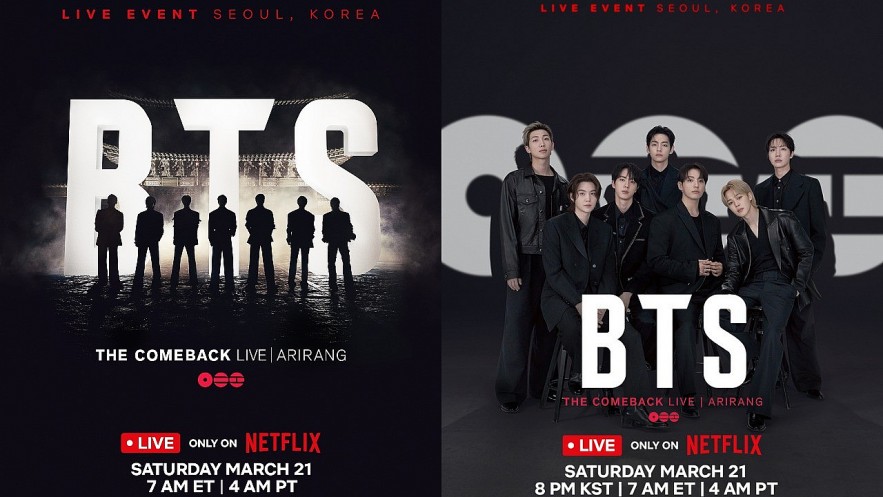 |
| BTS The Comeback Live |
The short answer: Yes — but you need to be prepared.
Below is a clear, practical guide to help you watch the concert in real time, even without a Netflix account.
First, Know Your Time
The livestream starts at:
• 8:00 PM (Korea Standard Time)
•6:00 PM (Vietnam / Thailand / Indonesia)
•1:00 PM (Central Europe)
•7:00 AM (New York)
Aim to be ready at least 20 minutes early. Streams fill up fast.
Option 1: The Fastest “Legit” Workaround
Borrow or Access a Netflix Account
This is still the smoothest experience if you can manage it.
What actually works:
-
Ask a friend or family member
-
Join a fan group sharing temporary access
-
Use bundled accounts (mobile providers sometimes include Netflix)
What most people get wrong:
-
Logging in last minute → leads to errors or lockouts
-
Using too many devices → account blocks
Pro tip: Log in early and open the event page before it starts.
Option 2: The Most Common Method (Fan Livestreams)
If you can’t access Netflix, this is your main path.
Where fans actually watch
1. TikTok LIVE (fastest and most reliable overall)
Search:
“BTS comeback live”
“BTS ARIRANG live”
Why TikTok works:
Dozens of parallel streams
If one goes down, another appears within seconds
2. YouTube Live (better quality, less stable)
Search:
•“BTS Comeback Live ARIRANG live stream”
Look for:
•Streams already running before showtime
•“Watch party” or “live reaction” titles
3. X (Twitter) for backup links
Search hashtags:
#BTSComebackLive
#BTSARIRANG
This is where fans post:
Fresh working links
Emergency replacements when streams get taken down
The Reality (Important)
Let’s be honest:
Streams will get taken down
Quality will vary
You may need to switch streams mid-performance
That’s normal. Experienced fans expect it.
The Smart Way to Watch (This Changes Everything)
Instead of relying on one stream, do this:
Set up before the show:
Open 3 tabs or apps at once:
-
TikTok
-
YouTube
-
Twitter (for backup links)
Save:
-
2–3 working livestreams
During the show:
If your stream drops:
-
Switch instantly
-
Refresh hashtags
-
Jump into another live
You’ll usually be back in under 10 seconds
If Your Internet Is Weak (Still Watch in Real Time)
You don’t need full video to stay updated.
Use Twitter/X as a live feed
Search:
-
#BTSComebackLive
You’ll see:
-
Clips within seconds
-
Photos from the stage
-
Setlist updates in real time
Sometimes this is actually faster than livestreams
What Happens After the Show
If everything fails, you still won’t miss out.
Within hours:
-
Full concert uploads (fan versions)
-
Individual performances on YouTube
-
HD edits across platforms
Later:
-
Possible official replay on Netflix
-
Documentary releases
Small Details That Make a Big Difference
These are easy to overlook but matter a lot:
-
Use WiFi instead of mobile data
-
Charge your device fully
-
Wear headphones for better sound
-
Join a fan Discord or group beforehand
-
Start searching 15–20 minutes early
The Best Strategy (Simple Version)
If you remember nothing else, remember this:
• Try to access Netflix (borrow or share)
• Prepare TikTok + YouTube + Twitter
• Keep backup streams ready
• Expect interruptions and switch quickly
Final Thought
You don’t need perfect access to be part of this.
BTS comeback moments aren’t just watched. They’re experienced together.
Even if you’re jumping between streams, refreshing links, or watching clips in real time, you’re still there with millions of fans around the world.
And that’s what actually matters.